
What is Microsoft Power BI?

Today’s businesses thrive on data. In a hyper-competitive business landscape, the ability to collect, analyze, and interpret information is as vital as basic resources for survival. Without data, organizations struggle to adapt to market demands, optimize operations, and predict trends. Data is the backbone of effective marketing campaigns, improved customer relationships, and more resilient supply chains.

However, the mere existence of data doesn’t guarantee success. In its raw form, a massive volume of information is as useful as a pile of disconnected words. For data to be truly valuable, businesses need tools and systems that can transform it into actionable insights. This requires more than just collection; it demands the ability to process, organize, and present this data in a way that’s understandable and useful for employees at all levels of the organization.

Traditionally, this would involve a complex collection of software: servers for data storage, report building tools, services for availability, and applications for viewing. This fragmented ecosystem can be inefficient and difficult to manage. This is where integrated solutions like Microsoft Power BI come into play, offering a unified approach to business intelligence.

The Power BI Ecosystem

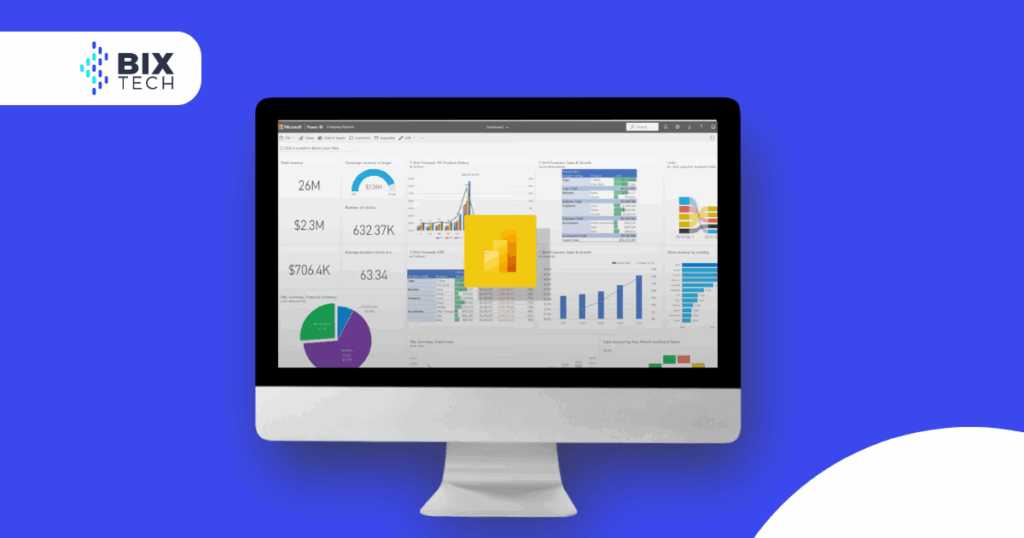
Power BI is a comprehensive suite of software services, apps, and connectors that work together to convert your data sources into immersive and interactive visual insights. These insights can be explored in desktop or mobile applications, providing flexibility and accessibility.

Power BI is comprised of several interconnected pieces:

  • Power BI Desktop: A Windows desktop application that serves as the primary environment for creating and designing data visualizations, reports, and dashboards. This is where most of the data modeling, transformation, and report creation work takes place.

  • Power BI Service (Power BI SaaS): A cloud-based SaaS (Software as a Service) platform for publishing, sharing, and collaborating on reports and dashboards. It allows users to access and interact with data from anywhere, at any time, via a web browser.

  • Power BI Mobile: Native applications available for Android, iOS, and Windows devices, enabling users to view and interact with reports and dashboards on their smartphones and tablets. This ensures business insights are always at their fingertips.

  • Power BI Report Builder: A specialized tool for creating paginated reports. Unlike interactive Power BI Desktop reports, paginated reports are optimized for printing or export, ideal for financial statements, invoices, and other detailed documents.

  • Power BI Report Server: An on-premises report server that allows the publishing and management of Power BI Desktop reports and paginated reports in a controlled environment, without the need for the public cloud. This is ideal for organizations with strict compliance requirements.

  • Power BI Deployment Pipeline Tool: A tool that facilitates managing the development lifecycle of reports and dashboards, enabling teams to test content at different stages (development, test, production) before releasing it to end-users, ensuring quality and stability.

Power BI’s flexibility extends to its role-based usage model. Different employees can be empowered with specific tools that align with their needs. For example, one user might only need to view reports and dashboards via the Power BI Service. Another might use Power BI Desktop or Report Builder to create powerful, interactive reports and then publish them. A sales executive, on the other hand, might use the Power BI phone app to monitor various sales quotas and deep dive into sales lead details in real time.

All these Power BI components come together to create a robust and flexible ecosystem, fully capable of delivering incredible data visualizations. These visualizations empower employees to significantly improve various value chains, processes, and pipelines within the organization.

Why your company should be using Power BI

If the idea of powerful and dynamic data visualizations isn’t enough to convince you of Power BI’s importance for your company’s future, consider the following benefits:

  • Fast and Agile Insights: Speed is crucial in the business world. Without the right tool, generating meaningful insights into your business’ sales, trends, leads, and metrics can take considerable time. Power BI is designed to accelerate this process. With a relatively shorter setup and learning curve compared to competing solutions, your staff can start working with the tool and generating value in no time. This translates to faster, more proactive decision-making.

  • Streamlined Delivery of Visualizations: Many organizations still rely on outdated systems and services to generate and share various reports. Imagine a platform that enables your staff to more efficiently deliver visualizations to various team members or departments. Power BI not only saves time by automating distribution but also reduces operational costs by eliminating the need for manual, time-consuming processes.

  • Real-Time Data Visualizations: Beyond facilitating sharing, Power BI allows your staff to use real-time dashboards to quickly view and manipulate data instantly. This makes it possible for your employees to swiftly identify opportunities or issues they might otherwise have missed. The ability to react to market or operational changes in real time is an immense competitive advantage.

  • Customized Power BI App Navigation: With Power BI applications, your users can customize the experience to perfectly fit their workflow. This increases efficiency, as users can configure the tool to quickly access the content they need, rather than having to drill deep into complex menus or search for information. Customization improves usability and productivity.

  • Built-In Access Controls: Data security and governance are paramount. Not every employee should have access to every piece of information. Power BI includes robust, built-in access controls, allowing you to define which users have permission to view specific data, ensuring sensitive information is accessed only by authorized personnel relevant to their roles. This helps maintain compliance and protect data privacy.

  • Digital Assistant Integration (Cortana): For users working in the Windows environment, integration with digital assistants like Cortana enhances the experience. Employees can use voice commands to ask questions of Power BI, rather than typing, making interaction with data more natural and efficient. This hands-free functionality can be particularly useful in scenarios where agility is key.

  • Built-in Artificial Intelligence: Power BI incorporates an AI system that uses image recognition and text analysis to create machine learning models. Furthermore, Power BI’s AI system integrates with advanced machine learning platforms, such as Azure Machine Learning. This means businesses can go beyond simple visualization, applying complex algorithms to predict outcomes, identify hidden patterns, and automate the analysis of large data volumes, transforming Power BI into a predictive and prescriptive analytics tool.

Business Intelligence Solutions with Power BI

The Microsoft Power BI collection of applications can truly transform your organization, provided you know how to leverage it to its fullest potential. This is why many companies seek specialized Power BI consulting.

Experienced BI engineers and specialists can help you create personalized dashboards that provide a detailed, company-wide view of your organization. Additionally, they can assist you in generating interactive reports and rich data visualizations, as well as seamlessly integrating Power BI into your existing digital environment. Whether it’s optimizing operations, understanding customer behavior, or monitoring financial performance, Power BI expertise is crucial.

Expert BI teams possess the know-how and cross-industry experience to deliver enterprise-level business intelligence solutions that leverage Power BI’s capabilities. By customizing this powerful BI suite, they can help you closely monitor your business while empowering your entire organization with in-depth and relevant data to make more informed and strategic decisions.

These BI engineers can update and streamline your existing BI solutions or create one from scratch, using Power BI’s capabilities as a foundation. More importantly, they can do so in alignment with your business goals and following an effective business intelligence strategy. It doesn’t matter if you use in-house systems or rely on cloud-based platforms: BI expertise can provide the business intelligence solutions you need, tailored to your specific requirements.

Business Intelligence Projects

A business intelligence (BI) project refers to the process of planning, designing, developing, and implementing BI solutions within a company. The main focus of these projects is integrating BI tools into a company’s operations to help all team members solve their issues and achieve their goals.

Given this objective, BI projects require close collaboration between multiple stakeholders, including those responsible for the company’s business goals, operations, technology implementations, and data processes. While such collaboration is always beneficial in tech projects, it is imperative for business intelligence projects to be successful. Effective communication and alignment of expectations between business and IT teams are crucial to ensure that the BI solution truly meets the company’s needs and generates tangible value.

Conclusion

Microsoft Power BI should be considered a must-have for any business looking to better leverage raw data into useful, interactive data visualizations. With these visualizations, your staff will be better prepared to gain clear insights into where your company has been and where it needs to go. Power BI significantly streamlines marketing, sales, customer service, and management, providing a tool perfectly suited for the challenges of modern business. By empowering your employees with real-time and visually appealing information, you ensure that decisions are made based on concrete data, driving innovation and growth.

Click the banner bellow and book a call to know more.

Don't miss any of our content

Sign up for our BIX News

Our Social Media

Most Popular

Want expert help with your data stack?

From Snowflake to Power BI, our team can help you make the most of your tools.Get a free consultation – no commitment.




